What should I do with a spare Raspberry Pi?
Published
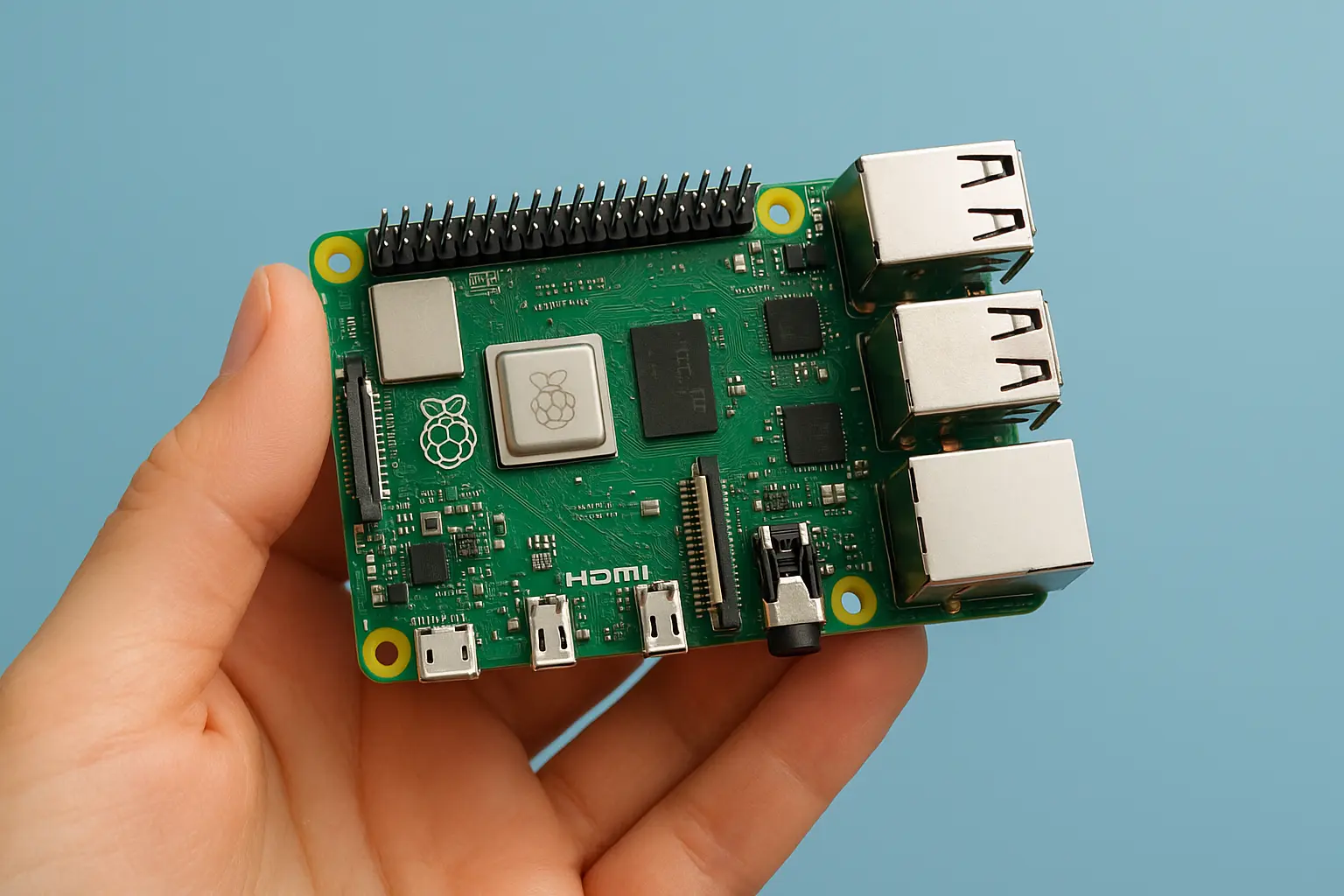
What should I do with a spare Raspberry Pi?
A spare Raspberry Pi has a way of staring at you from a drawer like an unfinished promise. It is too capable to throw away, too cheap to feel guilty about buying, and just mysterious enough to make you think you should be doing something clever with it. The best part is that you can turn that tiny board into something genuinely useful in an afternoon, and something quietly life improving over a weekend.
If you are wondering what to do with a spare Raspberry Pi, the answer is rarely “one big project.” The best Raspberry Pi projects tend to be practical, small, and modular. Start with one job your home, desk, or network needs, then let it evolve. Below are a handful of high impact ideas, each with actionable setup guidance, realistic hardware notes, and a few “nice upgrades” if you want to keep going.
First: pick the right starting point (and avoid common pitfalls)
Before you choose a project, spend five minutes on a quick reality check. Most Raspberry Pi ideas fall into one of three buckets: always on services, media and display projects, and hardware or sensors. Your Pi model and storage choice will influence how smooth the experience is.
Quick checklist: what Pi do you have?
- Raspberry Pi 4 or 5: best for home server tasks, Docker, media, and heavier workloads.
- Raspberry Pi 3: great for network services (Pi-hole, VPN), light web apps, and basic automation.
- Raspberry Pi Zero / Zero 2 W: perfect for ultra low power monitoring, simple sensors, or single purpose appliances.
Storage and stability tips that save frustration
- Use a quality microSD card (A1 or A2 rated) or, better, USB SSD for Pi 4 and 5 if you plan to run 24/7.
- Add a heatsink and airflow for Pi 4 and 5, especially for server use.
- If you want “set it and forget it,” consider using Raspberry Pi OS Lite and managing it over SSH.
Baseline setup (SSH + updates)
Enable SSH, then run:
sudo apt update && sudo apt full-upgrade -y
sudo reboot
If you will run anything on your network, change the default password, and consider setting a static IP via your router’s DHCP reservation.
Turn it into a home network powerhouse (Pi-hole, VPN, and monitoring)
One of the most satisfying answers to “What should I do with a spare Raspberry Pi?” is: make your network quieter, safer, and easier to manage. These projects are popular because they deliver immediate results with minimal hardware.
1) Block ads for every device with Pi-hole
Pi-hole is a network-wide DNS sinkhole that blocks ads and trackers. Instead of installing ad blockers on each device, you change your router’s DNS to the Pi-hole and your whole home benefits, including smart TVs and phones.
Practical impact you can measure:
- You can see exactly how many domains your devices contact.
- Many households find thousands of DNS queries blocked per day, which often speeds up browsing and reduces tracking noise.
Install:
curl -sSL https://install.pi-hole.net | bashAfter installation:
- Point your router’s DNS to the Raspberry Pi IP address.
- In the Pi-hole admin UI, review top blocked domains and whitelist only what breaks something.
Nice upgrades:
- Add Unbound for local recursive DNS to reduce reliance on upstream providers.
- Use DHCP from Pi-hole if your router’s DNS options are limited.
- Enable conditional forwarding for friendlier device names.
2) Add a private, secure way into your home network (WireGuard)
If you travel or use public Wi-Fi, a VPN is not just for privacy. It is the easiest way to access your home services securely. WireGuard is fast and lightweight, ideal for a Raspberry Pi.
A beginner-friendly approach is PiVPN:
curl -L https://install.pivpn.io | bashChoose WireGuard during setup. Then add a client:
pivpn addYou will get a QR code for mobile clients. On the road, you can:
- Access your NAS or home server admin panels.
- Use your Pi-hole from anywhere by routing DNS through the tunnel.
- Manage smart home devices without exposing them to the internet.
3) Monitor your internet uptime and speed over time
If your connection is flaky, logging it gives you evidence for your ISP and helps you diagnose patterns. Use a lightweight cron job to log ping results and a scheduled speed test.
Example: log ping latency to Cloudflare DNS every minute:
mkdir -p ~/netlogs
(crontab -l 2>/dev/null; echo "* * * * * ping -c 1 1.1.1.1 | tail -1 >> ~/netlogs/ping.log") | crontab -
For speed tests, keep it less frequent so you do not eat bandwidth. Then graph it later with a simple Python script or a dashboard.
Make it a personal cloud and backup buddy (Nextcloud, Syncthing, Time Machine)
A spare Raspberry Pi can replace several subscription shaped problems. Not perfectly, but well enough for many people. The goal is not to recreate Google Drive. The goal is to own a few critical workflows: file sync, photo backup, and local redundancy.
1) Simple and reliable file sync with Syncthing
If you want files to sync between your laptop and desktop without a central cloud provider, Syncthing is hard to beat. It is fast, peer-to-peer, and easy to maintain.
Use the official apt repo or install via Docker if you prefer. Then:
- Sync your “Working” folder between machines.
- Keep a “Receipts” folder mirrored to your Pi for light archival.
- Sync a phone camera folder to a USB drive attached to the Pi.
This works great on older Pi models because it is not overly heavy.
2) Host a private cloud with Nextcloud (with realistic expectations)
Nextcloud can do calendars, contacts, file sharing, and more. On a Pi 4 or 5 with an SSD, it can be genuinely useful for a household. On microSD alone, it may feel sluggish under load.
A practical, stable approach is to run Nextcloud in Docker with persistent storage on an SSD. Keep the scope tight:
- Files, shared folders, simple links.
- Automatic phone photo uploads.
If you want calendar and contacts sync, check performance first and keep backups.
3) Use it as a backup target
If you do not have backups, your spare Raspberry Pi can be your first real safety net.
Options:
- rsync backups from your computer to the Pi.
- Time Machine target for Macs using Samba.
- Restic or Borg for encrypted, deduplicated backups.
Simple rsync example (from your laptop):
rsync -av --delete ~/Documents/ pi@raspberrypi.local:/mnt/backups/laptop/Documents/Actionable advice that matters:
- Do not keep your only backup in the same physical spot as your computer.
- If possible, attach a USB drive and periodically store it elsewhere.
Build a smart home brain (Home Assistant, automations, and sensors)
If you have ever thought “my lights and thermostat are smart, but my home is not,” this is where your Raspberry Pi shines. The Pi becomes the local brain that integrates devices, runs automations, and keeps working even if a cloud service has a bad day.
1) Run Home Assistant for local control
Home Assistant is the most popular choice for a Raspberry Pi smart home hub. It can unify devices from many ecosystems and let you build automations that feel personal rather than gimmicky.
What you can do quickly:
- Turn on lights when you arrive home.
- Send a phone notification if a door opens while you are away.
- Create a “Goodnight” routine that locks doors, turns off lights, and adjusts temperature.
Hardware notes:
- A Pi 4 with 2 GB RAM can run it, but 4 GB or more feels better.
- Use an SSD for durability if it will run 24/7.
- For Zigbee devices, add a USB Zigbee coordinator.
2) Add a simple sensor project (cheap, useful, and satisfying)
Even one sensor can pay off. For example, a temperature and humidity sensor in a bedroom can help you fix sleep comfort issues or confirm whether a humidifier is doing anything.
Common parts:
- DHT22 or BME280 sensor
- Jumper wires
- Breadboard (optional)
If you prefer keeping it clean, you can also buy an off-the-shelf USB sensor and just log the data.
A practical way to use sensor data:
- Log temperature and humidity every 5 minutes.
- Alert when humidity drops below a threshold in winter.
- Trigger a smart plug to turn on a fan when a room overheats.
3) Make your own “smart” without cloud dependency
A Pi lets you keep automations local. You can:
- Run MQTT (Mosquitto) for lightweight messaging.
- Use Node-RED for visual automations.
- Keep data in InfluxDB and graph it in Grafana if you enjoy dashboards.
If you want a project that feels like leveling up, a Home Assistant plus Grafana dashboard is both practical and impressive.
Create a media and display station (Kodi, music streaming, photo frames)
Sometimes the best use of a spare Raspberry Pi is making something you can see and enjoy every day. Media and display projects are approachable, and they turn the Pi into a household appliance.
1) Make a living room media center
With LibreELEC or OSMC, a Raspberry Pi can run Kodi for local media playback. If you have a library of ripped DVDs, family videos, or downloaded courses, this is a clean way to put them on your TV.
Practical tips:
- Use wired Ethernet if possible for smooth playback.
- Store media on a USB SSD or a NAS.
- Pair a small wireless keyboard or a remote app for control.
If you are on a Pi 4 or 5, performance is generally solid for typical 1080p content and much of 4K depending on codec and bitrate.
2) Build a digital photo frame that does not feel cheesy
A Pi powered photo frame can be surprisingly elegant if you keep it simple:
- Use a decent display or repurpose an old monitor.
- Rotate photos from a folder synced via Syncthing.
- Add a schedule so it turns off at night.
A basic approach:
- Full-screen slideshow in a lightweight browser.
- A script that refreshes the playlist daily.
- Optional ambient light sensor to dim at night.
3) Whole-home audio or a desk music streamer
Your Pi can be:
- An AirPlay receiver.
- A Spotify Connect device.
- A network audio player feeding powered speakers.
This is especially fun for a desk setup. You can dedicate one Pi to being your “music endpoint,” and control it from your phone.
Learn, tinker, and level up (Docker lab, retro gaming, and security practice)
Not every Raspberry Pi project needs to be a household utility. Sometimes the best use is sharpening skills in a low stakes environment. A spare Pi is a perfect sandbox because you can reflash it, break it, and start again.
1) Build a tiny Linux server lab with Docker
Docker on a Raspberry Pi lets you experiment with self-hosted apps without cluttering the base OS. On a Pi 4 or 5, you can run multiple services comfortably if you are reasonable.
Useful containers to try:
- Uptime Kuma (service monitoring)
- Mealie (recipe manager)
- FreshRSS (RSS reader)
- Vaultwarden (password manager, advanced users only and secure it properly)
Example: install Docker quickly:
curl -fsSL https://get.docker.com | sh
sudo usermod -aG docker $USER
newgrp docker
docker run hello-world
Then you can manage stacks with Docker Compose for clean configuration.
2) Make a retro gaming console
RetroPie and similar builds can turn a Pi into a retro console for classic systems. This is one of the most common answers to “what should I do with a spare Raspberry Pi,” for good reason. It is approachable, and it is pure fun.
Actionable advice:
- Use a good controller and configure input once properly.
- Keep ROM organization tidy.
- Use a case with cooling if you play for long sessions.
3) Practice basic security and networking safely
A Pi is also a safe place to learn:
- SSH hardening and key-based auth
- Firewall rules with ufw
- Log monitoring with fail2ban
- Understanding DNS, DHCP, and routing
A practical first step is to switch from password SSH to keys:
ssh-keygen -t ed25519
ssh-copy-id pi@raspberrypi.local
Then disable password authentication in sshd_config after you confirm key login works.
Choosing the “best” Raspberry Pi project: a quick decision guide
If you are still deciding what to do with a spare Raspberry Pi, pick based on the kind of satisfaction you want.
- If you want immediate everyday value, do:
- Pi-hole
- WireGuard VPN
- If you want ownership of your data, do:
- Syncthing or Nextcloud
- A real backup plan with rsync or Borg
- If you want hands-on fun that shows off, do:
- Kodi media center
- Digital photo frame
- Retro gaming
- If you want skills that compound, do:
- Docker lab
- Home Assistant automations
- Security hardening practice
A good rule: start with one always-on service that solves a real annoyance, then add one “fun” project so the Pi does not become just another invisible box.
Conclusion: pick one project and ship it this weekend
A spare Raspberry Pi is not clutter, it is a chance to build something small that quietly improves your life. If you want the highest return with the least effort, set up Pi-hole and enjoy a cleaner network within an hour. If you want something that feels like future-proofing, add WireGuard so you can safely reach your home services from anywhere. If you want to go deeper, turn your Pi into a smart home hub or a personal cloud with a backup strategy that actually runs.
Choose one project, gather the missing parts, and commit to a first working version by Sunday night. Once it is running, you will stop asking what you should do with a spare Raspberry Pi, because it will already be doing something useful.
Worth sharing?
Send this to someone who would find it useful.