Should I buy an Arduino or a Raspberry Pi?
Published
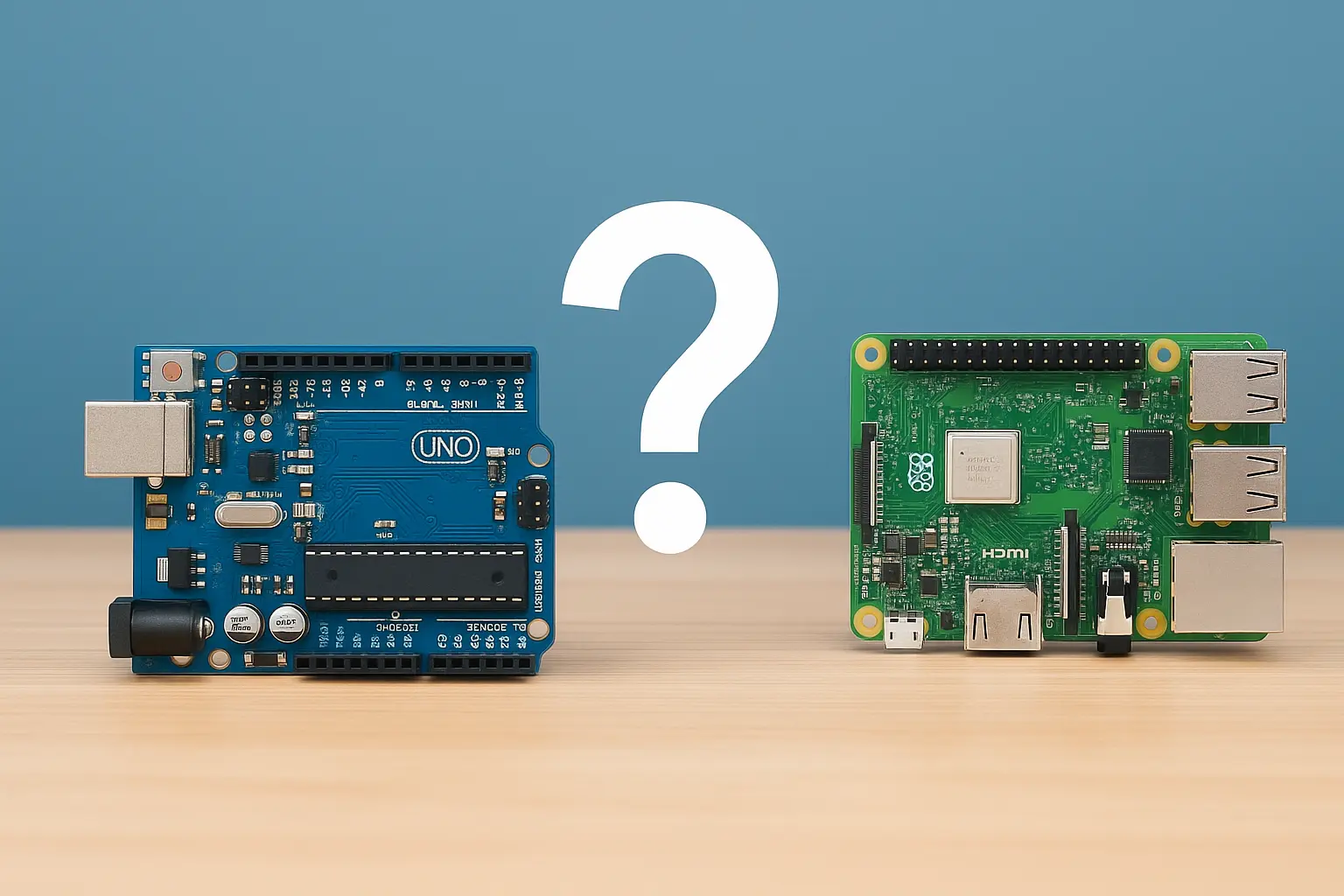
Should I buy an Arduino or a Raspberry Pi?
You have a project idea that won’t leave you alone. Maybe it’s a plant monitor that texts you when the soil is dry, a retro gaming box for your TV, or a robot that avoids your cat. You open a few tabs, watch a couple of videos, and then the question hits: should I buy an Arduino or a Raspberry Pi? They’re both small, affordable, and endlessly recommended for beginners. They also solve very different problems, and choosing the wrong one can turn an exciting weekend build into a frustrating month of troubleshooting.
This guide breaks down the practical differences between Arduino vs Raspberry Pi, when each shines, and how to decide based on what you actually want to build. You’ll also get concrete project examples, quick specs, and a couple of tiny code snippets so you can picture what working with each platform feels like.
The core difference: microcontroller vs microcomputer
If you remember only one thing, remember this: Arduino boards are usually microcontrollers and Raspberry Pi boards are full Linux computers. That split affects everything: how you power them, how they boot, how they interact with sensors, and how “real-time” they feel.
Arduino in plain terms
An Arduino (like the Arduino Uno, Nano, or Mega) is designed to run one program, repeatedly, as soon as it has power. It’s excellent at reading sensors and controlling hardware in a predictable way.
What that means in practice:
- It boots instantly.
- It does not run a full operating system.
- It’s great for low-power, always-on tasks.
- It’s very good at timing-sensitive control like PWM for motors, reading a button press reliably, or sampling analog sensors.
Raspberry Pi in plain terms
A Raspberry Pi (like the Raspberry Pi 4, Pi 5, or Pi Zero 2 W) is a small computer that runs an operating system, typically Raspberry Pi OS (Linux). It can multitask and run complex software, networking, databases, and graphical interfaces.
What that means in practice:
- It takes time to boot.
- It behaves like a PC: files, users, updates, processes.
- It’s excellent for projects that involve internet services, cameras, media, and heavier computation.
- It’s less deterministic for precise timing unless you design around Linux scheduling.
Quick comparison table (what you feel as a builder)
- Startup time: Arduino is instant, Raspberry Pi is seconds to a minute depending on setup.
- Real-time control: Arduino is naturally real-time, Raspberry Pi is “soft real-time” without extra care.
- Power usage: Arduino is typically much lower, Raspberry Pi draws more and needs stable power.
- Programming model: Arduino runs a single sketch loop, Raspberry Pi runs programs in an OS environment.
- Connectivity: Raspberry Pi has stronger networking options out of the box (Ethernet or Wi-Fi on many models).
If your project’s success depends on reliable hardware control and simplicity, Arduino tends to win. If your project needs Linux, Wi-Fi services, camera streaming, or desktop-like software, Raspberry Pi tends to win.
What you want to build: common scenarios and the best pick
Most purchase decisions get easy when you start from the end goal. Below are typical projects people search for when they type “Arduino or Raspberry Pi for beginners” or “which is better Arduino vs Raspberry Pi,” along with the platform that usually fits best.
Choose Arduino if your project is hardware-first
Arduino is the go-to for projects where sensors, actuators, and low-power reliability matter more than heavy software.
Arduino is a strong choice for:
- Reading sensors (temperature, humidity, light, motion, soil moisture)
- Controlling LEDs and LED strips (especially addressable LEDs with the right library)
- Driving relays, solenoids, servos, DC motors with motor drivers
- Battery-powered devices that should run for days or months
- Anything that should “just start working” when you plug it in
Example projects that fit Arduino well
- A door sensor that beeps immediately when opened
- An automatic pet feeder with scheduled motor control
- A simple weather station logging to an SD card
- A bicycle light controller with multiple modes and a button interface
Choose Raspberry Pi if your project is software-first
Raspberry Pi shines when you need an actual computer: networking, storage, video, multitasking, and modern programming stacks.
Raspberry Pi is a strong choice for:
- Web servers, dashboards, or home automation hubs
- Camera projects: timelapse, security cams, computer vision
- Media centers and retro gaming
- Projects needing Wi-Fi plus high-level APIs (cloud services, MQTT brokers, databases)
- Learning Linux, Python, Docker, or basic sysadmin skills
Example projects that fit Raspberry Pi well
- A Pi-hole ad blocker for your home network
- A smart mirror with a UI and live data widgets
- A NAS-lite file server or a backup appliance
- A security camera with motion detection and remote access
The underrated option: using both together
A lot of “real” builds end up using Arduino and Raspberry Pi, because they complement each other beautifully. Arduino handles real-time hardware control while Raspberry Pi handles the brains, UI, and network.
A common pattern:
- Arduino reads sensors and controls motors deterministically.
- Raspberry Pi collects data, logs it, serves a dashboard, and sends notifications.
- They communicate via USB serial, I2C, UART, or MQTT (through a bridge).
If you’re building something like a greenhouse controller with web monitoring, or a robot with vision, the best answer to “Should I buy an Arduino or a Raspberry Pi?” may honestly be “Eventually, both.”
Practical differences that matter when you’re spending money
Specs can blur together when you’re new. These are the differences that usually matter on day one and day thirty.
Power, boot behavior, and reliability
Arduino
- Often powered by USB or a simple DC input.
- Runs immediately when powered.
- Generally tolerant of being turned on and off frequently.
- Great for embedded deployments.
Raspberry Pi
- Needs stable 5V power with enough current (especially Pi 4 and Pi 5).
- Uses a microSD card by default, which can corrupt if power is cut during writes.
- Benefits from proper shutdown, power management, and sometimes an SSD for reliability.
Actionable advice if you pick Raspberry Pi: use a quality power supply, consider read-only filesystems for kiosk-like projects, or boot from SSD on models that support it if you care about durability.
GPIO and real-time control
Both have GPIO pins, but they behave differently.
- Arduino pins are controlled directly and predictably.
- Raspberry Pi pins are controlled through Linux drivers and libraries, which can introduce jitter.
If you want to generate precise step pulses for a stepper motor, decode fast sensor signals, or time-critical LED patterns, Arduino is typically easier. Raspberry Pi can do these tasks, but you may need additional hardware or techniques.
Analog inputs: the surprise gotcha
Many Arduino boards include analog input pins (ADC) for reading variable voltages from sensors like potentiometers, basic light sensors, and some soil moisture sensors.
Most Raspberry Pi models do not have built-in analog inputs. If you need analog readings on a Pi, you typically add an external ADC module (like MCP3008) over SPI or I2C.
If your beginner project uses a “simple analog sensor,” Arduino often reduces friction.
Libraries, learning curve, and developer experience
Arduino experience
- You write a sketch with
setup()andloop(). - The ecosystem is huge for sensors and modules.
- Debugging is often via
Serial.print().
Raspberry Pi experience
- You install packages, manage dependencies, use Python, Node.js, or C.
- Debugging can be easier because you have logs, editors, SSH, and full tooling.
- You can run multiple programs, schedule tasks, and use system services.
If you want a gentler path into electronics, Arduino tends to be simpler. If you want a gentler path into Linux and software projects, Raspberry Pi is a better fit.
Code examples: what “programming it” feels like
Sometimes the decision becomes obvious when you see how each platform handles the same basic task: blink an LED.
Arduino LED blink (sketch)
// Arduino: Blink the built-in LED (usually on pin 13)
void setup() {
  pinMode(LED_BUILTIN, OUTPUT);
}

void loop() {
  digitalWrite(LED_BUILTIN, HIGH);
  delay(500);
  digitalWrite(LED_BUILTIN, LOW);
  delay(500);
}
This runs forever. There’s no OS, no processes. Power it and it goes.
Raspberry Pi LED blink (Python)
# Raspberry Pi: Blink an LED on GPIO 17 using gpiozero
from gpiozero import LED
from time import sleep

led = LED(17)

while True:
    led.on()
    sleep(0.5)
    led.off()
    sleep(0.5)
This is also simple, but it assumes you have Python installed (you do), the gpiozero library available, and you’re running this script as a process on Linux. It’s a different mental model, and it matters once you start adding services, auto-start on boot, and remote updates.
Buying guide: which specific board should you get?
“Arduino” and “Raspberry Pi” are families, not single products. Here are sensible choices that match common intents behind searches like “best Arduino for beginners” and “which Raspberry Pi should I buy.”
If you decide on Arduino
Good starter choices:
- Arduino Uno R3 (or Uno R4): classic beginner board with the most tutorials.
- Arduino Nano: compact, breadboard-friendly.
- Arduino Mega: more pins and memory for bigger builds (lots of sensors, lots of outputs).
What to budget for besides the board:
- A starter kit with LEDs, resistors, a breadboard, jumper wires
- Sensors relevant to your project (DHT22, BME280, HC-SR04, etc.)
- Motor driver modules if you are controlling motors (L298N, DRV8825, etc.)
If your project mentions battery and sleep modes, look into boards optimized for low power or consider compatible microcontrollers that support deep sleep well.
If you decide on Raspberry Pi
Good starter choices:
- Raspberry Pi 5: fastest, best for heavier workloads, more power needs.
- Raspberry Pi 4: still excellent, widely supported.
- Raspberry Pi Zero 2 W: compact and efficient for simple networked projects.
What to budget for besides the board:
- A quality power supply matched to the model
- A microSD card from a reliable brand (or SSD for supported models)
- Case and cooling (especially for Pi 4 and Pi 5)
- HDMI cable or micro-HDMI adapter depending on model
- Optional: camera module if your project involves vision
If your project involves “always-on reliability,” consider using an SSD and a UPS HAT, especially in environments where power is flaky.
Decision checklist: answer these questions honestly
If you’re stuck between Arduino or Raspberry Pi, use this quick checklist. Your answers usually point strongly in one direction.
Go with Arduino if most of these are true
- You are building a device that interacts with the physical world more than the internet.
- You need consistent timing for motors, LEDs, or rapid sensor reads.
- You want instant-on behavior with minimal fuss.
- You care about low power consumption or battery life.
- You are learning electronics fundamentals and want fewer software layers.
Go with Raspberry Pi if most of these are true
- Your project needs Wi-Fi services, a web UI, or remote access.
- You want to use Python, Node.js, Docker, or run multiple processes.
- You need camera support, media playback, or computer vision.
- You want a desktop-like environment for learning and experimentation.
- Your project benefits from storage, logging, and databases.
If you’re still torn, choose based on the “hard part”
Ask: what is the part of your project that you cannot compromise on?
- If the hard part is precise control, choose Arduino.
- If the hard part is networking and software, choose Raspberry Pi.
- If you need both, plan for a two-board architecture.
Real-world example decisions (so you can copy the logic)
Here are a few realistic scenarios people Google all the time, and how I’d decide quickly.
“I want to build a smart irrigation system”
- If it’s a simple system that reads soil moisture and turns on a pump: Arduino.
- If you want a web dashboard, weather API integration, schedules, and remote alerts: Raspberry Pi plus an Arduino (or a Pi with an external ADC and careful control hardware).
“I want to build a robot”
- If it’s a line-following or obstacle-avoiding robot with basic sensors: Arduino.
- If it needs mapping, camera vision, or running ROS: Raspberry Pi plus a microcontroller for motor control.
“I want to learn programming”
- If your goal is Python projects, Linux commands, and building small apps: Raspberry Pi.
- If your goal is embedded programming, electronics, and hardware control: Arduino.
“I want to build a home server”
That’s a Raspberry Pi problem almost every time. Arduino is not intended to be a server.
Conclusion: the right choice depends on what you’re optimizing for
So, should you buy an Arduino or a Raspberry Pi? Buy an Arduino if you want a reliable, low-power controller that reads sensors and drives hardware with predictable timing. Buy a Raspberry Pi if you want a small computer that can run Linux, connect to networks, host services, handle cameras, and support higher-level software.
If you want the best next step, pick one project you actually want to finish in the next two weeks and choose the board that makes the hardest part easiest. If your project is hardware-first, start with an Arduino kit. If it’s software-first, start with a Raspberry Pi plus the right power and storage. And if your idea is ambitious, plan on using both: Arduino for the muscles, Raspberry Pi for the brain.
If you tell me what you’re building, the sensors or motors involved, and whether you need Wi-Fi or a dashboard, I can recommend a specific board and a starter parts list that fits your budget.
Worth sharing?
Send this to someone who would find it useful.