Best Mechanical Keyboards You Can Actually Build in 2026: Keychron's Open-Source Blueprints vs. Buying Off the Shelf — Ranked by Cost, Effort, and Real-World Result
Published
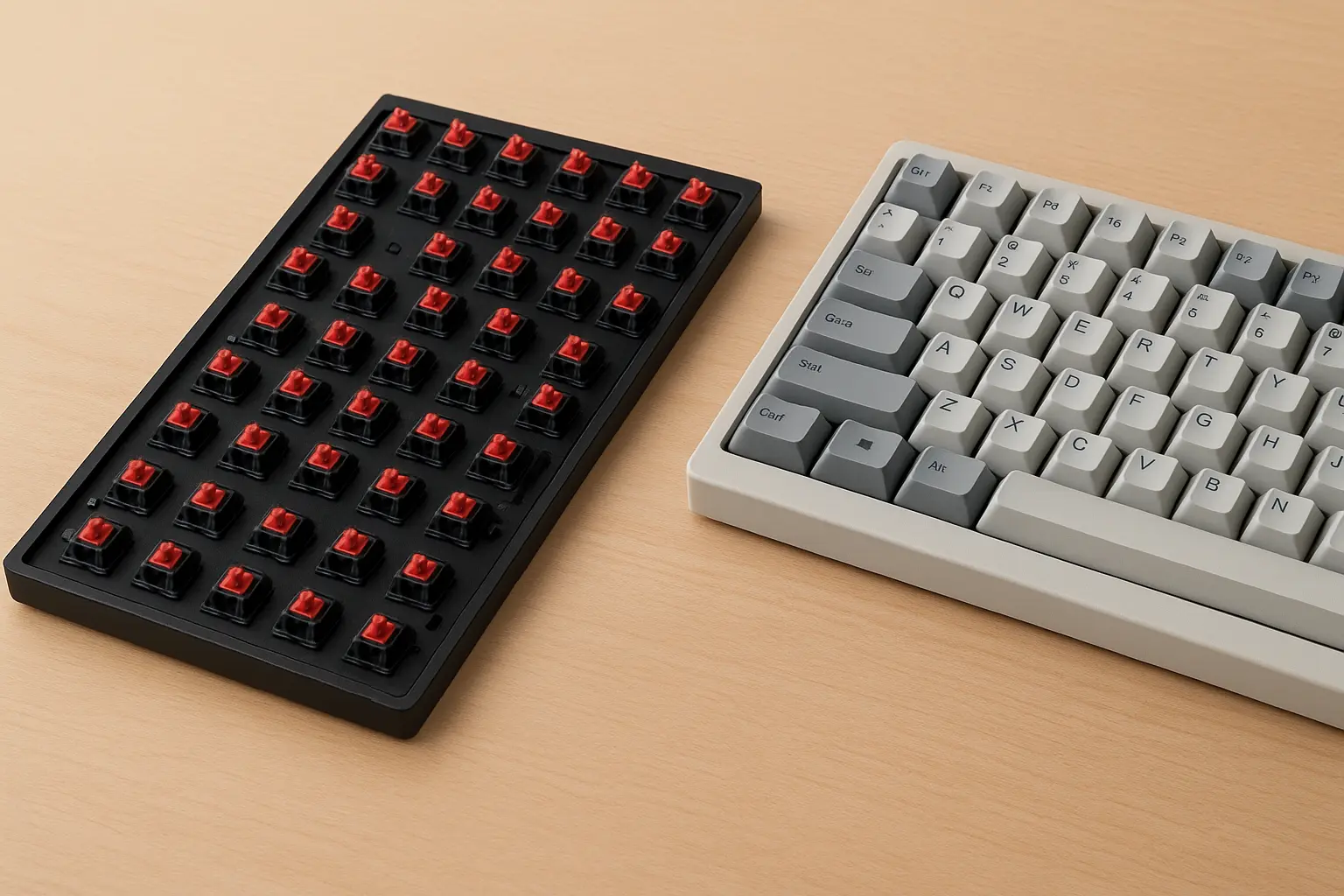
Best Mechanical Keyboards You Can Actually Build in 2026: Keychron’s Open-Source Blueprints vs. Buying Off the Shelf
Ranked by Cost, Effort, and Real-World Result
On April 9, 2026, Keychron uploaded 640+ production CAD files covering 83 keyboard and mouse models to GitHub. The keyboard internet responded predictably: “This changes everything!” and “Modders are going to lose their minds!” and other variations of breathless enthusiasm.
Here’s what almost nobody mentioned: you cannot build a working keyboard from these files alone. The release does not include PCB designs. No circuit board, no keystrokes. You still need Keychron’s actual PCB or a compatible third-party board to make anything that functions as more than a very expensive desk ornament.
That missing piece changes what this release actually is. Not “Keychron gave away the factory.” More like: Keychron gave away the molds, but kept the engine. Once you understand that, the conversation gets a lot more useful.
Three realistic paths exist to a mechanical keyboard in 2026. I’ve sourced parts for custom builds, priced out Keychron’s retail lineup, and compared the Lofree Flow 2 as the most common alternative Reddit keeps asking about. Below they are, ranked by total cost, build difficulty, and the quality of what you end up typing on.
For deep coverage of specific pre-built models, switch types, and layout options, our Best Mechanical Keyboards 2026: Top Picks for Every Budget and Build Style guide covers that ground thoroughly. This piece stays focused on the build-vs.-buy economics.
What Keychron Actually Released (and the Critical Caveat Everyone Skipped)
The GitHub repository is genuinely impressive in scope. As of early May 2026, it has grown to 135 device models and 734+ individual files spanning the Q, Q Pro, Q HE, K Pro, K Max, K HE, V Max, L, P HE series keyboards, and even their M and G series mice. For each product, you typically get case files, plate files, stabilizer designs, encoder mounts, keycap profiles (OSA and KSA), and fully assembled reference models.
The file formats matter. These are STEP and DXF/DWG files: editable parametric geometry that opens in FreeCAD, Fusion 360, Onshape, or SolidWorks. Substantially more useful than the STL mesh files most hobbyists encounter in 3D printing communities. You can measure precise dimensions, modify curves, add mounting points, and export to CNC or laser-cutting workflows. Think of it as the difference between getting a photograph of a blueprint versus getting the actual architectural drawing in AutoCAD. One you can look at, the other you can build from.
But as Tweaktown reported: “Printed circuit board (PCB) designs are missing from the release, meaning building a fully functional keyboard from scratch still isn’t possible. You will still need to rely on an existing Keychron PCB for that.”
There’s also a licensing distinction worth flagging. As Green Keys’ analysis explains, this is source-available, not open source under the OSI definition. You can study, remix, and 3D-print for personal or educational use. You can design and sell compatible accessories. You cannot manufacture and sell full keyboards built from these files, and you cannot use Keychron’s trademarks as your own branding. If you were imagining a cottage industry of Keychron clones springing up on AliExpress, the license explicitly prohibits it.
Keychron’s CEO put it this way on Discord: “We think that making production hardware files available is a meaningful contribution to the broader hardware and keyboard community.” The intent is empowering modders and accessory makers, not enabling budget replicas.
One practical note: if you’re new to CAD software and want to poke around the files without paying for anything, FreeCAD (free, open source) and Onshape (free browser-based tier) both handle STEP files fine. You don’t need a SolidWorks license just to look.
The Three Paths, Ranked
| Rank | Path | Total Cost | Build Difficulty | End-Result Quality | Verdict |
|---|---|---|---|---|---|
| 1 | Buy pre-built Keychron Q/K series | $89-$229 | None | Excellent (factory QC, warranty) | Best for 90% of people |
| 2 | Keychron CAD-assisted mod build (3D-print case/plate using GitHub files + source PCB) | $140-$300 | Moderate (CAD software, 3D printing or outsourcing, assembly) | Good to great, depending on print quality | Do it if the process is the point |
| 3 | Full custom build from scratch (no Keychron files, all aftermarket parts) | $120-$500+ | High (part sourcing, compatibility research, possible soldering) | Variable: budget builds often worse than pre-built; mid-range and up can be exceptional | Do it for the craft, not the savings |
Path 1: Just Buy the Thing ($89-$229)
Two reasons to skip this path: you specifically want the satisfaction of building something yourself, or you need a layout or feature combination that doesn’t exist off the shelf. Otherwise, if you want to type well on a great keyboard starting tomorrow, keep reading.
Keychron’s retail lineup in 2026 covers an enormous range. K-series entry boards start around $89. The Q1 HE 8K, their current flagship with hall-effect switches and 8,000 Hz polling, sits at $229. Between those poles: hot-swap boards, gasket-mount boards, QMK/VIA-compatible boards, layouts from 60% to full-size.
The Lofree Flow 2 surfaces constantly in “Keychron vs. Lofree” Reddit threads. It sits in the $150-$180 range and wins on aesthetics and low-profile design. Honestly, if you want a keyboard that looks good on a minimalist desk and you’re not that interested in swapping switches, the Flow 2 is a strong pick. If you want maximum modding flexibility, hot-swap sockets, and customizable firmware through QMK/VIA, Keychron’s Q series is the better platform.
The math is pretty straightforward: a Keychron Q1 at around $170 gets you a CNC aluminum case, gasket mount, hot-swap PCB, factory-lubed stabilizers, and pre-installed switches. Building something comparable from scratch costs $250-$400 in parts alone, before your time. The pre-built wins on price unless you already own tools, filament, and a 3D printer.
One mistake I’ve seen repeatedly: people buy a pre-built board and immediately plan $100+ in modifications (new switches, new keycaps, foam, tape mod) before they’ve even typed on it for a week. Live with the stock board first. You might love it. And if you don’t, the hot-swap sockets on any modern Keychron Q or K board make switch changes a five-minute job with no soldering required.
For specific model recommendations across budget tiers, our Best Mechanical Keyboards 2026 guide goes deep on that.
Path 2: The Keychron CAD-Assisted Mod Build ($140-$300)
This is the path the GitHub release actually enables, and it’s the most misunderstood one. You’re not building a Keychron from scratch. You’re using Keychron’s production CAD files to print, modify, or CNC a custom case or plate, then pairing it with a real PCB, switches, and keycaps.
Here’s what that costs in 2026:
| Component | Source | Cost |
|---|---|---|
| PCB (hot-swap, 65% or 75%) | KBDFans, JLCPCB, or buy a Keychron barebones kit and extract | $25-$60 (aftermarket) or $89-$130 (Keychron barebones kit) |
| 3D-printed case (using Keychron STEP files, modified for your printer) | Home FDM printer (PLA/PETG) or outsource to JLCPCB/Craftcloud | $8-$15 filament (home) or $30-$80 (outsourced resin/nylon) |
| 3D-printed or laser-cut plate | Same as above | $5-$10 (home) or $15-$40 (outsourced) |
| Switches (x70-84) | Budget (Gateron G Pro 3.0, Akko V3): $20-$35. Premium (Gateron Oil Kings, JWK): $40-$65 | $20-$65 |
| Keycaps | PBT doubleshot clones (Akko, XVX): $25-$50 | $25-$50 |
| Stabilizers | Screw-in aftermarket | $12-$20 |
| Total (home printing + aftermarket PCB) | $115-$200 | |
| Total (outsourced printing + Keychron barebones PCB) | $190-$385 |
The realistic middle scenario, and the one I’d recommend for a first build: buy a Keychron barebones kit ($89-$130 depending on model and sale), use the GitHub files to print a custom case that fits the PCB exactly, and add your own switches and keycaps. That lands you at roughly $160-$270 total, with a board that has a factory-quality PCB inside a case that’s uniquely yours.
What skills you actually need
| Skill | Required? | Notes |
|---|---|---|
| Soldering | No, if you use a hot-swap PCB | Most modern Keychron PCBs and aftermarket 65%/75% boards are hot-swap |
| CAD software | Only if you modify the design | Opening and inspecting a STEP file: 30 minutes to learn. Modifying geometry for a custom plate: several hours of tutorials |
| 3D printing | Yes, or outsource | FDM printing a keyboard case is an intermediate project; bed adhesion and warping on large flat prints are real challenges |
| Firmware/QMK | Optional | Only needed if you want custom key mappings beyond VIA’s drag-and-drop interface |
If the intersection of CAD skills and electronics intrigues you, our piece on whether to buy an Arduino or a Raspberry Pi frames the broader “how deep do you want to go with DIY electronics?” question.
Something it took me a while to appreciate: the Keychron CAD files are most valuable not for people building from scratch, but for people who already own a Keychron and want to modify it precisely. Want a case with a 3-degree typing angle instead of 5? Now you have the exact production geometry to start from. Want to add a wrist-rest mounting rail that mates perfectly with your Q6? The STEP file gives you every dimension. The files turn modding from guesswork into engineering. That’s actually the release’s real value, and most coverage missed it entirely.
Where it gets frustrating: a 3D-printed PLA case does not feel like CNC aluminum. Doesn’t sound like it either. The thock and heft people associate with premium keyboards comes from mass and material density. A printed case can look great with sanding and painting, but it will feel lighter and sound hollower unless you add internal weights and dampening. Go in with that expectation and you’ll be happier with the result. I’d say the sound difference is bigger than most build guides warn you about, though I’m probably underestimating how much a good foam layer can compensate.
Path 3: Full Custom Build from Scratch ($120-$500+)
This path doesn’t use Keychron’s files at all. You’re sourcing every component independently: aftermarket case, compatible PCB, plate, switches, keycaps, stabilizers, and potentially foam, tape, and other acoustic mods.
According to Visual Foodie’s 2026 cost breakdown, the tiers look like this:
- Entry-level ($120-$235): Injection-molded or basic CNC case, budget hot-swap PCB, solid budget switches (Gateron G Pro 3.0, Akko V3 Cream), PBT clone keycaps. Gets you a functional, decent-sounding board.
- Mid-range ($250-$500): Full CNC aluminum case with gasket mount, premium switches, reputable PBT or entry-level GMK keycaps, aftermarket stabilizers. This is where custom builds start to genuinely outperform pre-built boards in sound and feel.
- High-end ($500+): Boutique cases (often from group buys with months-long waits), premium everything, custom cerakote or anodizing. Diminishing returns for typing quality; increasing returns for exclusivity and personal satisfaction. You know what you’re buying at this tier.
The uncomfortable truth about entry-level custom builds: a $150 custom build from scratch is usually worse than a $170 pre-built Keychron Q1. The pre-built has a CNC aluminum case, factory-tuned stabilizers, and quality control. Your $150 custom has a plastic case, stabilizers you need to lube yourself, and compatibility you had to verify across four different vendor websites. The custom build only pulls ahead on quality once you cross the $250-$300 threshold, at which point you’re paying a significant premium over retail for the privilege of doing the work yourself.
That’s not a criticism. I’ve made that choice more than once. There’s a satisfaction in typing on something you assembled, tuned, and tweaked to your exact preference that no amount of factory QC replicates. But if anyone tells you a custom build saves money, they’re either lying or they aren’t counting their time.
One thing I’ll push back on pretty hard: stop buying switches based on YouTube sound tests. Every sound test is shaped by the case material, plate material, desk mat, microphone, and room acoustics of whoever’s recording it. A switch that sounds deep and resonant in their CNC aluminum case might sound hollow and pingy in your printed PLA case. Buy a switch tester ($15-$25 from most keyboard vendors) and evaluate feel first, sound second. This is the most common expensive mistake in this hobby, and it’s very avoidable.
What to Actually Do
If you just want a great keyboard, buy a Keychron Q-series or K-series board in the layout you prefer. Excellent out of the box, hot-swappable if you want to tinker later, and priced competitively against everything in their class. Our pre-built keyboard rankings can help you narrow down which model.
If you already own a Keychron and want to mod it, bookmark the GitHub repository and download the STEP files for your specific model. Install FreeCAD or open an Onshape account. Before you design anything, just open the full-assembly model and explore it. Understand how the plate, case, and stabilizer housings relate to each other spatially. Your first useful project will probably be something small: a custom knob, a plate with different flex cuts, a case foot that changes the typing angle. Don’t start with a full case reprint.
Full custom build from scratch? Set a budget of at least $250 if you want the result to compete with a pre-built on quality. Spend the first $15 on a switch tester before you spend $50 on 70 switches you’ve never touched. And read compatibility documentation obsessively. The case mount style, PCB layout percentage, and plate cutout pattern all need to agree with each other, or you end up with my 2018 pile of beautiful, incompatible parts that taught me this lesson the expensive way.
Where This Goes Next
Keychron’s repository is being updated weekly. It launched with 83 models in April and reached 135 by early May. If PCB schematics ever join the release (a big “if” given the competitive implications), the equation shifts dramatically toward DIY. For now, the release is best understood as a modding toolkit, not a manufacturing kit.
The broader trend is worth watching. Hardware companies publishing production-grade design files, even under restrictive licenses, was essentially unheard of in consumer electronics five years ago. It mirrors what’s happening in smart home ecosystems, where the tension between open interoperability and proprietary ecosystems keeps pushing toward more openness, slowly and unevenly.
One question cuts through all of this: do you want a great keyboard, or do you want the experience of making a great keyboard? Both are valid. They just lead to different checkout carts.
Worth sharing?
Send this to someone who would find it useful.
Sources
- GitHub - Keychron/Keychron-Keyboards-Hardware-Design: Industrial design files for Keychron keyboards and mice. 100+ models with CAD assets in STEP, DXF, DWG, and PDF. Source-available, with commercial use allowed for original compatible accessories within the license terms.
- Did Keychron really “open-source” it? Breaking down what it means to publish design files
- Keychron just put its factory blueprints on GitHub for free, and keyboard modders are going to love it
- A Full Custom Keyboard Cost Breakdown for 2026
- Keychron K5 Max [K1 Max, K3 Max, etc.] vs Lofree Flow 2: Which Keyboard Is Better?
- Keychron Q Series Keyboard