Best Gaming and Productivity Mechanical Keyboards of 2026: Keychron Z11 Ultra, Logitech G512X, and Lofree Flow 2 Ranked by Price, Feel, and Real-World Tradeoffs
Published
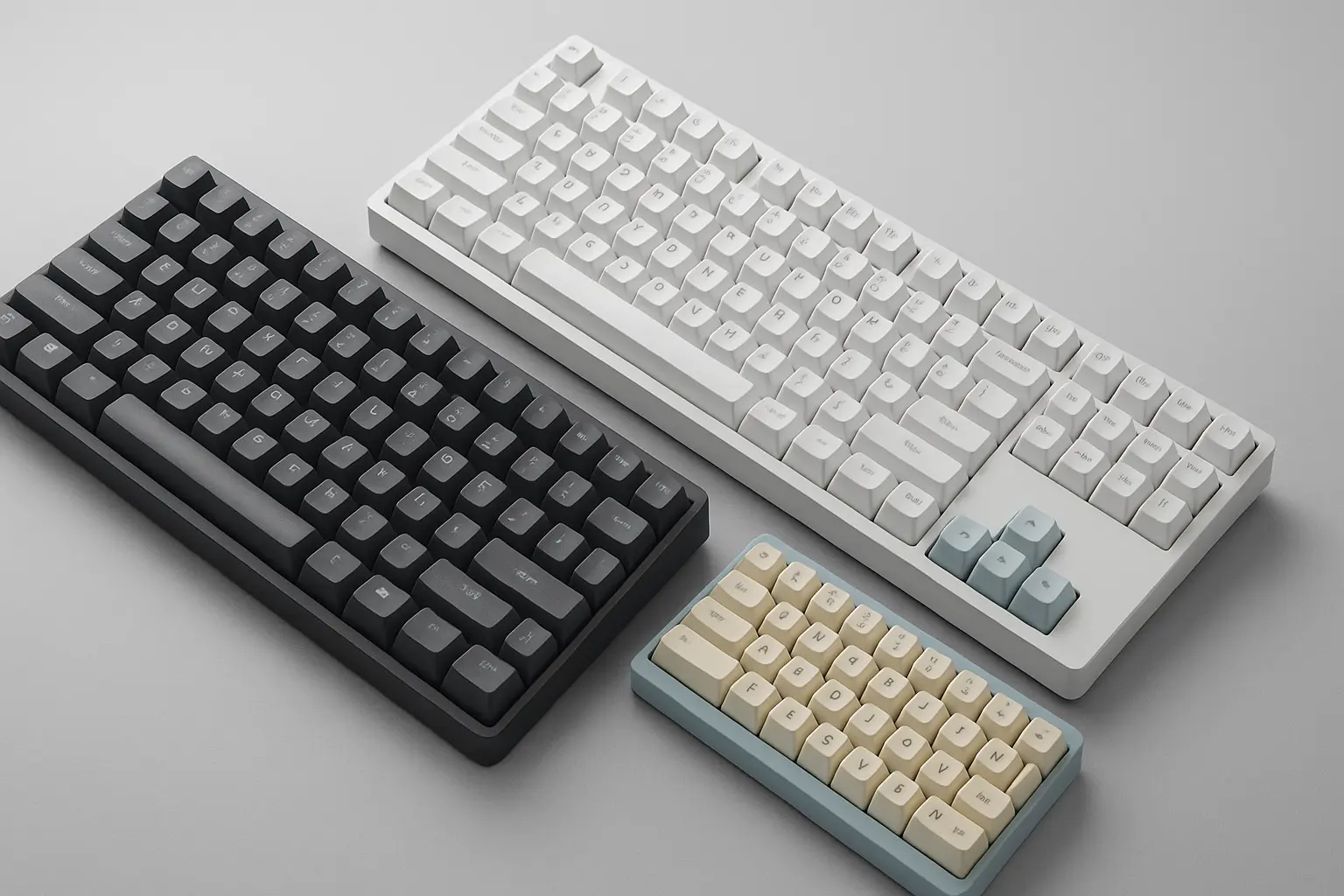
Best Gaming and Productivity Mechanical Keyboards of 2026: Keychron Z11 Ultra, Logitech G512X, and Lofree Flow 2 Ranked
Three Boards, $139–$200, and Nobody’s Compared Them Side by Side Until Now
Nine analog switches out of 75 total keys. That’s what Logitech ships in its $179.99 G512X, a keyboard marketed as a hybrid analog/mechanical revolution. Meanwhile, Keychron is pushing 8,000Hz polling over wireless (a first for the Alice layout crowd), and Lofree built a keyboard so beautiful that reviewers keep forgiving its resonance problems. Three very different philosophies, all landing within weeks of each other, all priced between $139 and roughly $200.
Every review I’ve found covers these boards in isolation. One publication tests the G512X, raves about the analog gimmick, buries the plastic chassis complaint in paragraph six. Another does a gorgeous photo spread of the Flow 2 and mentions the spring resonance in a single sentence. Nobody puts all three side by side with a consistent rubric and tells you which one to skip based on how you actually use a keyboard.
So that’s what I’m doing here.
I’ve spent several years testing mechanical keyboards across competitive gaming, long-form writing, and daily office work. What follows is a ranked comparison across five dimensions: switch feel, polling rate, firmware openness, build quality, and price-to-performance. And for each board, I’ll tell you who should walk away.
If you want the broader landscape of layouts, switch technologies, and budget options, our comprehensive 2026 mechanical keyboard guide covers that. This piece goes narrower on the three boards generating the most conversation right now.
How These Three Actually Stack Up
| Category | Keychron Z11 Ultra 8K | Logitech G512X 75 | Lofree Flow 2 (68-key) |
|---|---|---|---|
| Switch Feel (typing) | ★★★★★ | ★★★½ | ★★★★½ |
| Switch Feel (gaming) | ★★★★ | ★★★★½ | ★★★ |
| Polling Rate | 8,000Hz (wired + 2.4GHz) | 8,000Hz (wired only) | 1,000Hz (wired + 2.4GHz) |
| Firmware Openness | ZMK (open-source) | G Hub (proprietary) | QMK/VIA (open-source) |
| Build Quality | Aluminum, 10+ foam layers | Plastic chassis, gasket mount | Single-block aluminum, 5 foam layers |
| Price | ~$189–$219 (est., TBA) | $179.99 | From $139 |
| Best For | Ergonomic typists, wireless gamers | Switch-curious gamers | Portable productivity, design-conscious typists |
A note on the Z11 Ultra 8K’s price: Keychron hasn’t published official numbers yet. I’m estimating based on the Q1 Ultra 8K’s pricing tier and where the Z-series sits in Keychron’s lineup. Treat this as a range, not a promise.
Logitech G512X: The Gateway Drug With a Plastic Problem
The G512X’s pitch is genuinely clever. It ships with both mechanical (low-profile MX tactile) and analog (Gateron KS-20 magnetic) switches, and you can hot-swap between them using feet that double as switch pullers. Everything lives on the board: nine analog switches stored in a top-edge enclosure, SAPP rings (which add a secondary actuation point, similar to a DualSense trigger stop) tucked into the underside. No separate accessory kit required.
The gaming upside is real. Tom’s Guide reported measurable improvement in FPS kill/death ratios after tuning the analog switches’ dual actuation points. The rapid trigger feature, which lets a key re-register without fully releasing, is exactly the kind of advantage competitive shooters care about. And 8,000Hz polling on the wired connection means input latency is about as low as current hardware allows.
But the board has two problems the marketing doesn’t emphasize.
First, only 9 of the 39 analog-compatible positions ship with analog switches, and only keys on the left side of the board (plus arrow keys) support them at all. If you want a fully analog experience, the Keychron K2 HE gives you that across every key at a similar price. The G512X is more of a sampler plate.
Second, and more damning for a $180 keyboard: the build quality doesn’t match the price. Gizmodo’s Kyle Barr described the chassis as “very plasticky,” with ridged purple flanks that look “more of electronics from the Walmart toy aisle rather than a $180 keyboard.” That same review noted the typing feel is “just a hair less pleasing to press than a high-end, DIY keyboard like those from Keychron.” Tom’s Guide had a more positive take on typing (82 WPM at 95% accuracy in their test), but also flagged that the SAPP ring storage compartment has a loose grip, meaning those tiny silicone rings end up rolling under your desk.
Honestly, the plastic chassis would bother me more than the limited analog coverage. There’s something demoralizing about a $180 keyboard that flexes when you pick it up.
Who should skip this: Typists who care about premium feel and build quality. The mechanical switches are fine but not exceptional, and the plastic chassis undercuts the price tag. Also skip it if you need wireless: the G512X is wired only, which is a surprising limitation at this price point in 2026.
Who should buy this: Gamers who’ve been curious about analog switches but don’t want to commit to a full analog board. The ability to swap nine keys between mechanical and analog, experiment with dual actuation points, and revert if you hate it is genuinely valuable. Think of it as a test kitchen, not a finished restaurant.
One practical note: if you do buy this board, immediately relocate the SAPP rings to a small ziplock bag. The built-in storage is not trustworthy, and losing even one ring means losing that key’s secondary actuation capability.
Keychron Z11 Ultra 8K: The Ergonomic Flagship With a Pricing Question Mark
The Z11 Ultra 8K is Keychron’s Alice-layout entry into its Ultra 8K platform, and it inherits all the advantages that made the Q1 Ultra 8K a reviewer favorite. The Alice layout splits the alphanumeric keys into two angled halves without a full split, reducing ulnar deviation (the wrist angle that causes strain during long typing sessions). If you’ve never tried an Alice board, imagine your hands resting at about 15 degrees outward instead of straight ahead. It’s the difference between holding a steering wheel at 10-and-2 versus 9-and-3. Some people feel it immediately. Others type on one for a week and go back to standard without noticing a difference. Worth knowing before you spend $200 on one.
The headline feature is 8,000Hz polling on both wired USB-C and 2.4GHz wireless connections. This is genuinely unusual. Most 8K keyboards, including the G512X, limit that rate to wired mode. For wireless gamers who refuse to sacrifice latency, this is currently the only Alice-layout option that delivers.
ZMK firmware handles the customization side. ZMK is open-source, designed for low-power wireless operation, and customizable through Keychron’s web-based Launcher tool (accessible via Chrome, Edge, or Opera). On the Q1 Ultra 8K, which shares the same platform, AppleInsider measured 660 hours of battery life at 8K polling with the backlight off. That number will vary on the Z11 given layout differences, but the platform’s efficiency is proven.
Build quality follows Keychron’s enthusiast-grade formula: aluminum chassis (branded as “Aluminum Tube”), ball-bearing quick-release system for easy internal access, and multi-layer acoustic dampening. Based on the Q1 Ultra 8K’s construction, expect 10+ layers of foam, PET film, IXPE, and silicone, all of which you can remove or rearrange to tune the sound profile. Our 2026 mechanical keyboard guide covers why those layers matter if you’re new to acoustic dampening.
One important detail: 8K polling ships disabled by default for compatibility reasons. You’ll need to toggle it on through the Keychron Launcher. On older systems or certain macOS configurations, 8K can cause issues, so Keychron plays it safe. This is smart engineering, not a limitation, but it does mean your out-of-box experience is 1,000Hz until you change it.
Who should skip this: Anyone who needs a numpad, hates ergonomic layouts, or is on a strict budget. Alice layouts have a real learning curve (budget a full week, not three days, before you judge whether it’s working for you). The estimated $189–$219 price makes this the most expensive option here. Also skip if you’re locked into Logitech’s G Hub ecosystem for macro management across multiple peripherals.
Who should buy this: People who type for hours daily and want the ergonomic benefit of a split layout without the desk footprint of a full split board. The combination of Alice layout, 8K wireless polling, ZMK firmware, and Keychron’s build quality gives this the highest ceiling of the three. Competitive gamers who play wirelessly should look at this seriously.
Lofree Flow 2: The Typing Instrument With an Acoustic Flaw
The Lofree Flow 2 is, by almost every visual and tactile measure, the most refined keyboard in this comparison. Its chassis is milled from a single block of aluminum with a grit-anodized finish. Pick it up and it feels like a precision tool. PC Gamer called it “one of the most beautiful low-profile keyboards you can connect to your PC,” and they’re not wrong. If you’ve ever found yourself annoyed by how much you care about how your desk looks, this is the keyboard that scratches that itch.
The typing experience matches the aesthetics. Tom’s Guide tested the Flow 2 at 96 WPM with 91.44% accuracy, beating the Apple Magic Keyboard on speed (94 WPM) and the Logitech MX Keys Mini (93 WPM) outright. Lofree’s Kailh Pulse tactile switches actuate at a light 40g, and the enlarged keycaps with steeper chamfers make keys easier to find by touch. Five layers of internal dampening produce a satisfying thock on most keys.
The firmware situation is a genuine win. The original Flow ran proprietary software. The Flow 2 finally supports QMK and VIA, putting it on equal open-source footing with Keychron’s offerings. You can remap every key, create layers, and build macros without being locked into a vendor’s app. For anyone who cares about long-term customizability, this matters.
And then there’s the flaw.
Both units Tom’s Guide tested had a “ricochet” resonance noise: a metallic ring caused by switch springs interacting with the aluminum case. It’s particularly noticeable on harder keystrokes and the spacebar. PC Gamer noted a “somewhat inconsistent typing sound” as well. For a keyboard that starts at $139 and climbs to $169 for the 100-key, a consistent acoustic issue across multiple review units is a problem. No firmware update can fix a physical interaction between springs and aluminum. This is the kind of thing that either drives you crazy or you never notice, and I genuinely don’t know which camp you’ll be in.
The other annoyance is the touch-sensitive volume strip on the right side. It replaces a physical knob, and in practice it’s imprecise and frustrating. Tom’s Guide called it “so annoying as to be pointless,” and most reviewers recommend just disabling it. Also worth noting: polling rate caps at 1,000Hz, and there’s no RGB, only white backlighting.
Who should skip this: Competitive gamers who need analog switches, rapid trigger, or polling rates above 1,000Hz. Anyone for whom keyboard acoustics are a priority. The resonance issue is real and documented across multiple review units.
Who should buy this: Primarily typists and office workers who value build quality, portability, and aesthetics. At $139 for the 65%, this is the least expensive board in the comparison and arguably the best-built. If you type lightly enough to avoid triggering the resonance, or if you just don’t care about that kind of thing, it’s a genuinely beautiful daily driver. It pairs well with a focused productivity setup where the keyboard is something you use for hours at a stretch.
One thing worth flagging: the Flow 2’s 1,000Hz polling rate gets cited constantly as a limitation, but for its actual target audience it’s irrelevant. The difference between 1,000Hz and 8,000Hz is roughly 0.875 milliseconds of input latency. Unless you’re playing competitive FPS games at a high level, you cannot perceive it. For typing, email, coding, and casual gaming, 1,000Hz is fine. Don’t let spec-sheet anxiety push you toward a more expensive board you don’t need.
What Sits Below $139
These three boards occupy the $139–$200 tier, but it’s worth knowing what you’re giving up to save money. The Keychron K2 HE, frequently mentioned in G512X comparisons, offers full-board analog switches at a similar price point. Below $100, Epomaker and Royal Kludge offer capable wireless mechanical boards with hot-swap and decent build quality, though with plastic cases and less sophisticated acoustics. Our full buyer’s guide covers this tier in more detail.
The honest takeaway: if you’re not a competitive gamer and you don’t need a premium typing experience, a $70 hot-swap board from a reputable brand will serve you fine. The boards in this comparison are for people with specific, demanding requirements.
How to Actually Decide
Start with the “who should skip this” sections above and eliminate boards that don’t fit your primary use case. Most buyers will eliminate at least one board immediately. If you’re genuinely torn between the Z11 Ultra 8K and the Flow 2, ask yourself whether ergonomic layout or portability matters more. That single question usually resolves it.
If you can wait, the Keychron Z11 Ultra 8K’s confirmed pricing (expected around or shortly after its May 13 launch) will clarify things significantly. If it lands at $189, it’s competitive with the G512X on price and superior on build, firmware, and wireless capability. At $219 or above, the Flow 2’s $139 starting price starts looking a lot more attractive.
One thing to do before buying any Alice-layout board: go to a local electronics or keyboard retailer and try one. The Z11 Ultra 8K’s biggest advantage is also its biggest risk if you discover you can’t adjust. Thirty seconds of typing in a store can save you a return shipment.
Where This Market Is Heading
The G512X’s hybrid analog/mechanical approach is probably the start of a trend. Expect Razer and SteelSeries to ship similar mixed-switch-bed designs by late 2026. Whether that’s good for buyers depends on whether future implementations give you more than nine analog keys out of seventy-five. Right now it feels like a proof of concept shipping at a finished-product price.
Keychron’s ZMK-powered 8K wireless platform is going to trickle down to lower price points. The Z11 Ultra 8K is a flagship, but the underlying tech (efficient polling, open firmware, long battery life) has no reason to stay premium-priced. By 2027, expect 8K wireless in sub-$150 Keychron boards.
And the Lofree Flow 2’s resonance issue is a useful reminder that specs and materials alone don’t guarantee a great product. Aluminum cases sound impressive on paper but introduce acoustic challenges that plastic chassis simply don’t have. Build quality is about engineering, not just what the case is made of.
For deeper context on switch technologies, layout decisions, and the Hall-effect vs. mechanical debate, the 2026 keyboard guide is the broader foundation. Use both if you’re doing serious research.
One question worth sitting with: are you buying a keyboard for the next six months, or the next three years? Your answer changes which tradeoffs actually matter.
Worth sharing?
Send this to someone who would find it useful.
Sources
- Logitech made an analog and mechanical keyboard in one
- Logitech G G512 X Review: The Tasting Menu of a Pro Gaming Keyboard
- I became a keyboard tinkerer with the Logitech G G512 X, and it seriously upgraded my gaming performance
- Keychron Q1 Ultra 8K review: mechanical keyboard performance multiplier
- Keychron Launches Z11 Ultra 8K Mechanical Keyboard With Alice Layout and 8K Polling
- One of the most beautiful low-profile keyboards you can connect to your PC
- The Lofree Flow 2 is the most beautiful mechanical keyboard I’ve tested — but there’s one huge drawback